

Can you put switches on a membrane keyboard?
Can you put switches on a membrane keyboard?


Installing switches on membrane keyboards is not a traditional practice, but it can be retrofitted. The membrane layer of the original rubber or silicone dome needs to be replaced and an individual mechanical switch installed for each key. This requires knowledge of electronic assembly and mechanical adjustments, as well as compatible mechanical switches and connectors.
Do membrane keyboards have switches?
Yes, but not in the traditional sense. But membrane keyboards operate differently. Instead of using a physical switch beneath each key, membrane keyboards rely on pressure pads. When you press a key, it pushes a rubber dome or flexible sheet down onto a conductive trace. That completes the circuit and sends the signal to your computer.
So, technically, membrane keyboards do have switches. But they’re called membrane switches, and they function without the bulky hardware you’d find in mechanical keyboards.
What switches do membrane keyboards use?
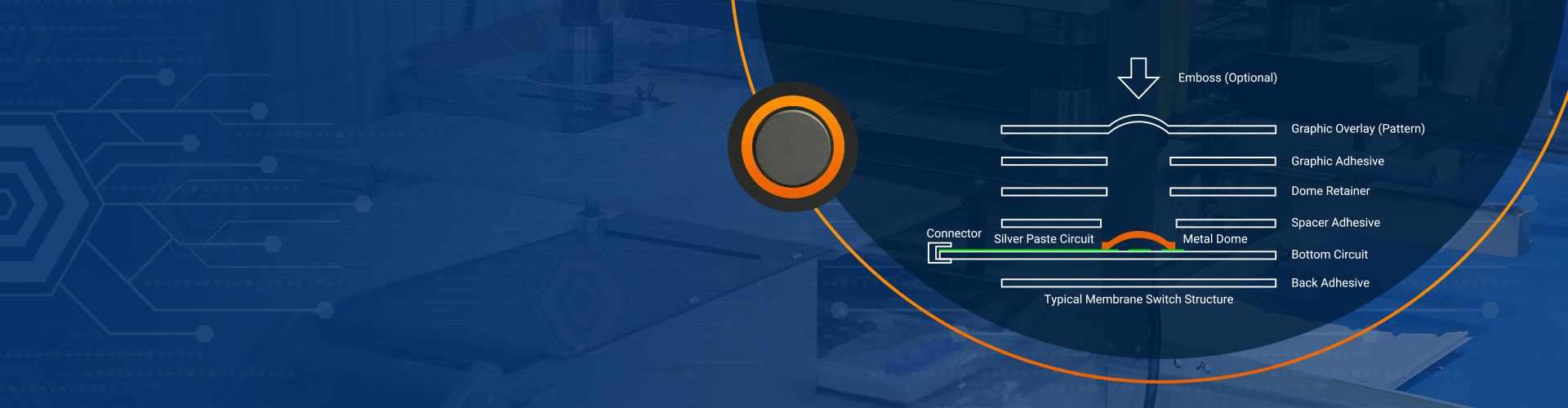
Membrane keyboards use three main layers to operate:
- Top membrane layer
- Spacer layer
- Bottom conductive layer
Between these layers is a rubber or silicone dome that gives feedback when pressed. These domes serve as the tactile switch. They’re small, flexible, and designed to collapse when you apply pressure.
Instead of individual switches like a mechanical board, a membrane keyboard uses a continuous sheet. That means the switch mechanism is integrated, not modular. You can’t simply pop one out and replace it with another.
This design is why membrane keyboards are slim, quiet, and cost-effective. But it’s also what makes them less customizable.
How to make a membrane keyboard clicky?
Here’s how to make a membrane keyboard feel clickier:
- Replace the keycaps: Some keycaps are heavier or shaped differently.
- Add O-rings: These rubber rings sit under the keycap and modify the feel of the press.
- Modify the dome sheet: Some keyboard enthusiasts have added tape, foam, or even replaced the dome sheet to increase pressure resistance.
- Lubricate the rubber domes: A thin layer of silicone grease can improve the feel and bounce.

Keep in mind—none of these will turn your membrane keyboard into a mechanical one. Think of it as giving your keyboard a personality upgrade.
Can you change switches on a membrane keyboard?
In most cases, no. Unlike hot-swappable mechanical boards, where you can plug and unplug switches freely, membrane keyboards have built-in switch sheets. These aren’t designed for replacement or customization.
You can still improve your typing feel by:
- Replacing keycaps with better-fitting ones
- Modifying the rubber domes if you’re experienced
- Switching to a hybrid board
If you’re serious about customizing the switches, you may need to upgrade to a different type of keyboard entirely.
Can you put mechanical switches on a membrane keyboard?
Membrane keyboards don’t have the hardware to support mechanical switches. There are no sockets, no PCBs designed for them, and no space for the bulky housing of a mechanical switch. Trying to force it would mean rebuilding the keyboard from scratch.
But there is a silver lining. You can get a hybrid keyboard.
Hybrid keyboards combine membrane technology with mechanical features. They often use membrane actuation but place mechanical-feel domes on top. You get the benefits of both worlds—soft typing with added tactile feedback.
This hybrid solution is a great choice for users who want to upgrade without breaking the bank. They mimic mechanical feel while keeping the simplicity of membrane design.
Which is better, a mechanical or membrane keyboard?
It depends on what you value most.
Mechanical keyboards are known for:
- Long life span
- Precise actuation
- Custom switches
- A strong tactile response
They’re a favorite among gamers, writers, and tech enthusiasts. But they’re heavier, louder, and more expensive.
Membrane keyboards, on the other hand:
- Are quieter and lighter
- More affordable
- Slimmer in design
- Easy to clean and replace
They’re a smart choice for offices, casual users, and people who type occasionally.
If you value custom feel and long-term durability, go mechanical. But if you want silent, simple typing without the fuss, membrane keyboards are still an excellent choice.
Why are membrane keyboards so cheap?
There’s a reason membrane keyboards are everywhere. They’re easy to make.
Unlike mechanical keyboards that require individual components for every key, membrane keyboards use a layered sheet system. This sheet design is efficient and cost-effective. Fewer moving parts mean less production complexity and faster assembly.
They also use fewer materials, especially expensive metals or soldering. That brings down costs significantly.
But “cheap” doesn’t mean low quality. Many top-tier brands use membrane keyboards for specific tasks. They can still offer impressive performance, especially with the right tweaks.
What is the lifespan of a membrane keyboard?
Membrane keyboards are surprisingly durable. Most can handle 5 to 10 million keystrokes before showing signs of wear. While this is less than the 50+ million of a mechanical switch, it’s still more than enough for everyday use.
Office users, students, and casual gamers will often find their membrane keyboards last several years without a hitch.
The lifespan depends on:
- How often you type
- How hard you press
- Environmental factors like dust or moisture

Regular cleaning and avoiding liquid spills can help prolong life even more. Some membrane keyboards, especially those with reinforced dome designs, can last much longer than expected.
Conclusion:
If you’re hoping to drop mechanical switches into a membrane keyboard, the answer is no. They’re built differently. Membrane keyboards don’t support modular switches like mechanical boards.
Membrane keyboards are more than just “cheap” alternatives. They’re silent, slim, efficient, and surprisingly customizable when you know what to do. And if you’re building your own device or designing a keypad, membrane switches offer cost-effective, flexible solutions that get the job done.
Contact us today at sales@best-membraneswitch.com — our team is ready to help you.

How Long Does Keyboard Last? Average Lifespan Guide
Understanding how long does keyboard last is not just about numbers—it’s about how design, usage habits, and environmental conditions come together over time. Whether you’re working with a membrane keyboard, a mechanical unit, or a custom membrane keyboard built for industrial use, lifespan varies widely based on real-world factors. How long do keyboards last? Most ...
Difference between Mechanical Keyboard and Membrane Keyboard
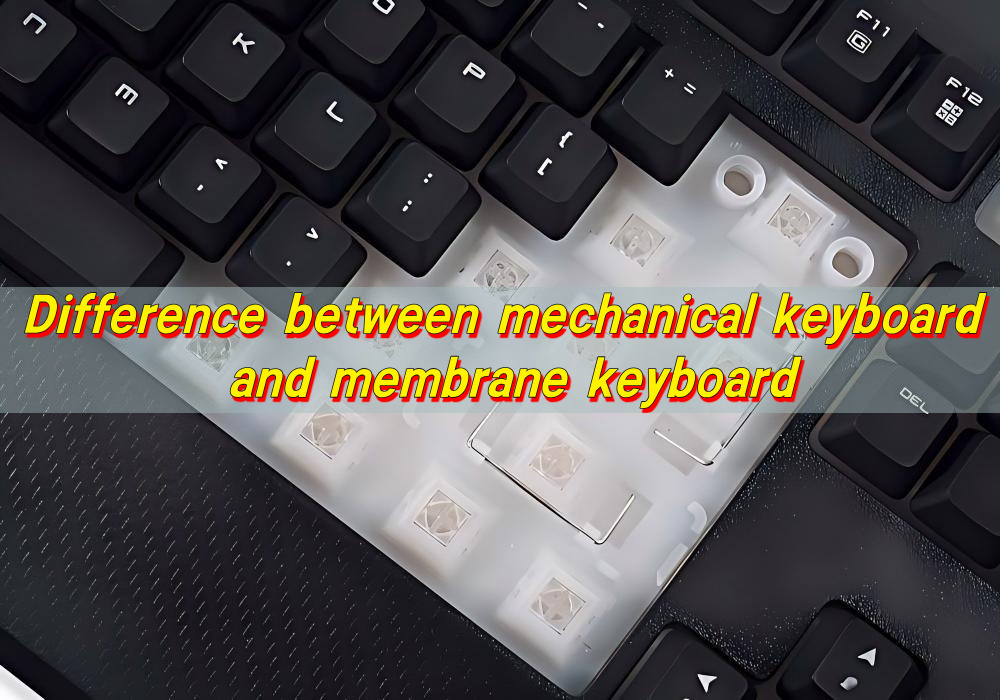
Choosing between different keyboard technologies is no longer a simple matter of preference. As user expectations continue to evolve—especially in gaming, office productivity, and industrial control systems—the underlying structure of a keyboard plays a decisive role in performance, longevity, and overall user satisfaction. Understanding the difference between mechanical keyboard and membrane keyboard allows buyers and ...
Top Advantages of Using an LGF Membrane Switch in Modern Electronics
Electronics have advanced rapidly over the years. The buttons and controls people use every day have also quietly advanced. Today, thin panel-based controls are replacing old, bulky buttons in almost every industry, and for good reason. Even Lighting Across Every Key Older backlit panels always had that annoying problem of bright spots near the light ...

Contact us online


